C481 B581 Computer Graphics
Dana Vrajitoru
C481/B581 Homework 2
Due date: Monday, January 30.
Ex. 1 Download the following files in a separate folder (you
don't want to mix the main.cc and the Makefile with
those of another program). The name of the executable is now
"illusion":
Makefile
glheader.h
interface.h
interface.cc
illusion.h
illusion.cc
main.cc
Compile and run the program. You should see the following result:
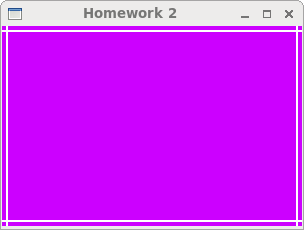
Ex. 1. Lens Illusion. Complete the
function lensIllusion in the file illusion.cc to
create something similar to the following image:
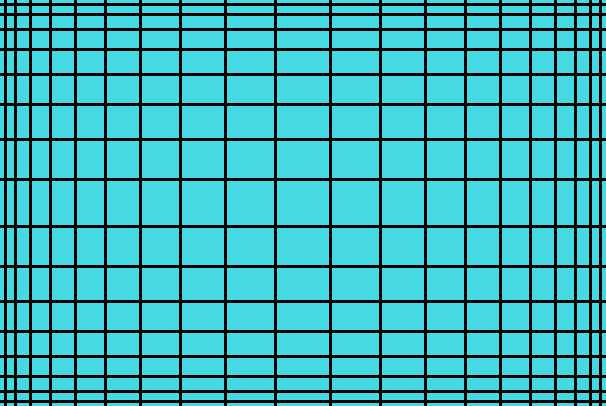
For this, add two loops to the function, one for horizontal lines
and one for vertical lines. For example, if the control variable for
the vertical loop is i, (starting from 1, incremented by 1)
in each iteration you should create 2 lines similar to the ones given
as example, but where the distance between the lines in the previous
iteration and the new one is equal to i * gap in each
iteration, both increasing from the left, and decreasing from the
right. The loop should end when the new vertical lines pass the middle
of the image (width/2). A symmetrical idea applies to the
horizontal loop.
Ex. 2. Interface. Improve the interface of the program with
the following features. You can (and should) add your own functions for
the more complex operations. Don't forget to add their prototypes to
the header file if necessary and to submit the header file
too in that case.
- Change the title of the application window to "Lens
Illusion".
- Change the default size of the window to 600 x 400.
- Add 3 more colors that you like as arrays
in interface.cc. Add some functionality to the spacebar to
cycle the background of the window through the colors (existing and
defined by you).
- Define two global variables in interface.cc for the size
of the illusion, initialize them with the size of the window, and pass
them in the function call to the function lensIllusion. Then
add to the function spkey two cases for the up and down
(GLUT_KEY_UP and GLUT_KEY_DOWN) arrows where you
increase and decrease the size of the illusion by 5. Do not let either
of these values become less than 5 in the process. In other words,
ignore the operation if it would result in values that are too
small. This will create a sort of zoom in and out of the
scene.
In addition, in the function resize, also assign the values
of the parameters w and h to the width and height of
the illusion.
- Add a global variable in interface.cc for the
parameter gap and add two more cases in the
function spkey for page up and page down
(GLUT_KEY_PAGE_UP and GLUT_KEY_PAGE_DOWN) where you
increase and decrease the value of this variable by 1 every time. Do
not decrease the value to something less than 1.
- Add two cases in the function key for the
letters 'r' and 'R' where you reset the width and
height of the illusion to the width and height of the window, the gap
to a default value (like 5), and the color to purple.
Upload to Canvas: all the source files that you modified, to
Assignments, Homework 2.