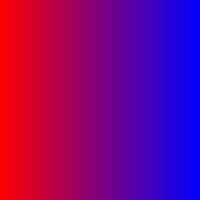
When you execute the program, it will open a window containing a gradient similar to this image:
Due date: Monday, January 23.
Ex. 1 Download the following files in a folder created for
this homework:
Makefile
gradient.h
gradient.cc
main.cc
Compile the program with the command make and run it with
the command gradient.
When you execute the program, it will open a window containing a
gradient similar to this image:
a. Complete the functions to generate a horizontal, square, and diagonal gradients. Create another gradient of your choosing in the function called customGradient. Here is what these gradients should look like:

| 
| 
|
| |
For the horizontal gradient you can use a polygon similar to the vertical one, but with the colors assigned differently to the vertices.
For the diagonal one, you need to compute a color that averages the background and foreground colors. Then you can use a similar polygon and assign this color to two opposite corners, and the bg and fg colors to the others.
For the square one, the easiest way is to use a triangle fan for which the opening instruction is
glBegin(GL_TRIANGLE_FAN);
Then you need to start inside with a center point that you can obtain by averaging the start and end points, colored with the bg color. After that you need the four corners of the same polygon as before, all in the second color (you only need to specify it once). Finally, you need to repeat the first corner of the polygon to close the fan.
For the last gradient, any scheme you want to come up with is fine, as long as it looks different from the others.
b. Complete the function randomize in the main file. Here you have to generate a random value between 0 and 4 (or use the value of the constant other) and assign it to the gradType variable, then generate random values between 0 and 1 for each of the 3 components of the two colors, red and blue (or modify the program to use differently named arrays). To obtain a random number between 0 and 1, you can generate a random integer using the function rand(), then apply abs to get a positive value, convert it to float, and divide it by RAND_MAX that you can find in the header file <cstdlib> (already included). It's important to apply the conversion to float before the division, otherwise all your random values will be 0.
As a program using random numbers, you may also want to call the function
srand(time(NULL));
inside the main function before the call to glutMainLoop(), to obtain a different result every time you run the program. For this, you need to include the header file <ctime>.
Upload to Canvas, Assignments, Homework 1: the modified source code, meaning the two files gradient.cc and main.cc.